
Product Updates
4 mins
December 10, 2025
We’re happy to announce today that Datalab is releasing Forge Evals, making it easier for anyone to see and understand how different settings and modes affect the parse quality of their documents (PDFs, DOCX, Spreadsheets, etc.).
We know how overwhelming and cumbersome it can be to evaluate different document intelligence providers. Worse, each provider has a range of settings, making it extremely complex to keep track of how you’re comparing each document.
It can be a dizzying experience, so why not make it easier on you?
Now, when you log into your Datalab account, go into Forge Evals (it’s generally available).
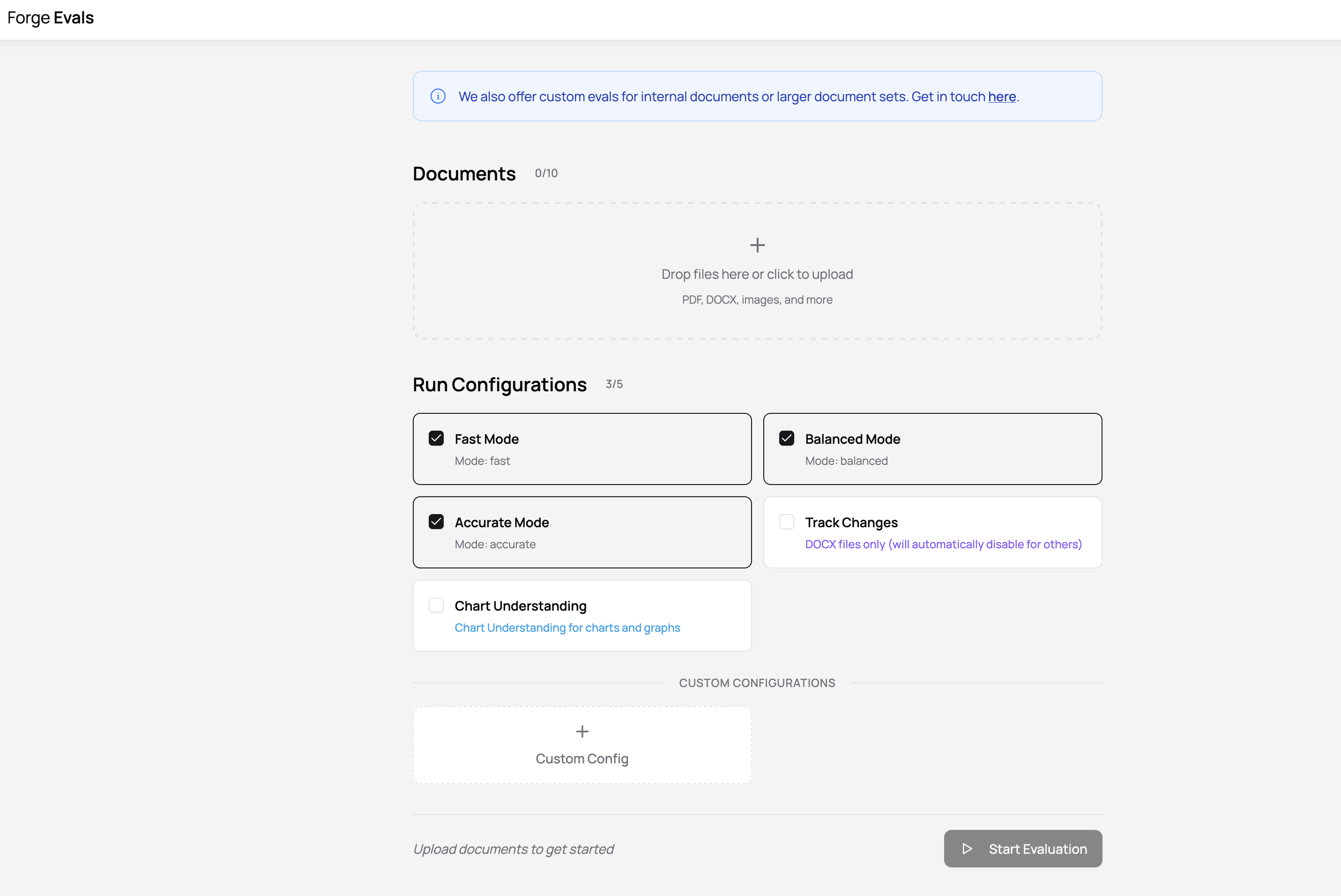
You can currently upload up to 10 documents and choose up to 5 settings in your run configuration. We may adjust these in the future, but if you have very heavy eval workloads or other data privacy needs, feel free to reach out to us since we’ll help run evals for any interested customers with links to private eval outputs reports!
Let's start an eval.

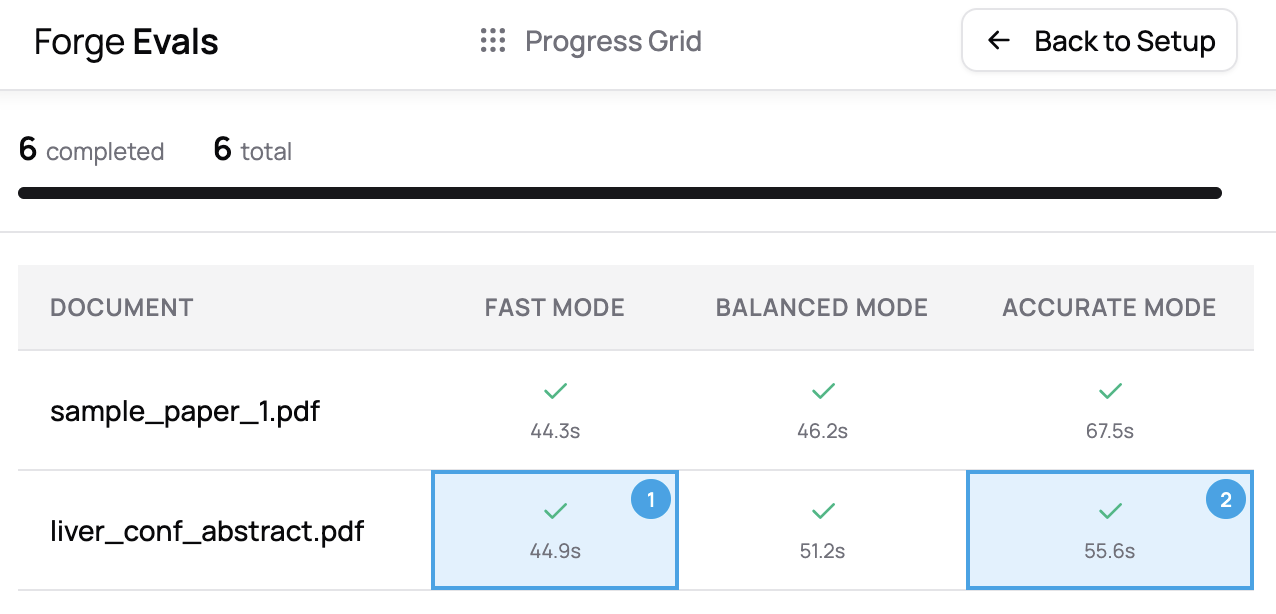
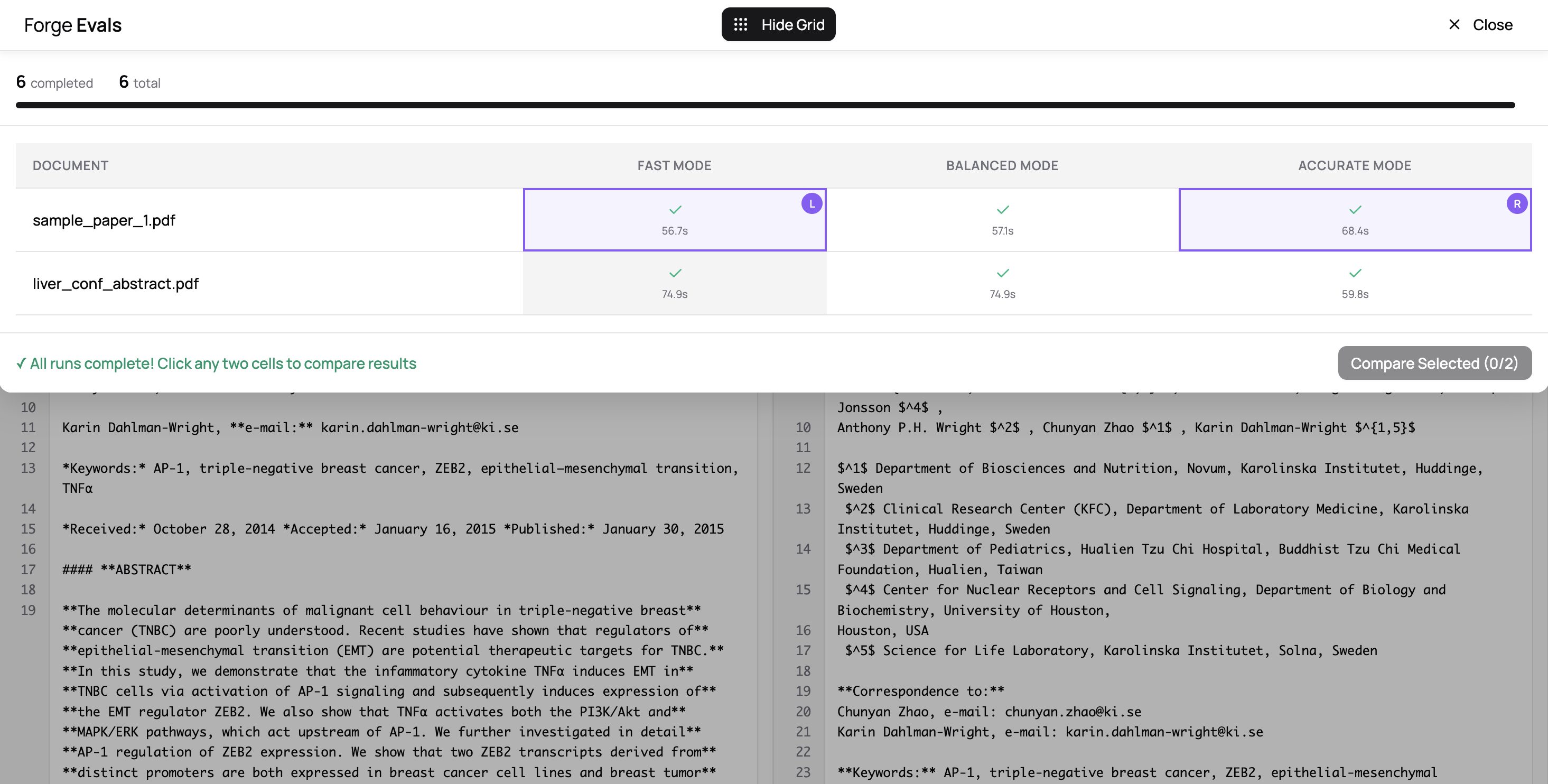
You'll be taken to a progress view that shows a grid of documents and run configurations and their status. Once they start to trickle in, you can click on cells to start entering compare mode.
We’re getting to the best part...

In comparison mode, you pick any two run outputs and see the results in Markdown, HTML, JSON side by side. You can swap the order if you want by selecting the toggle on the top right.
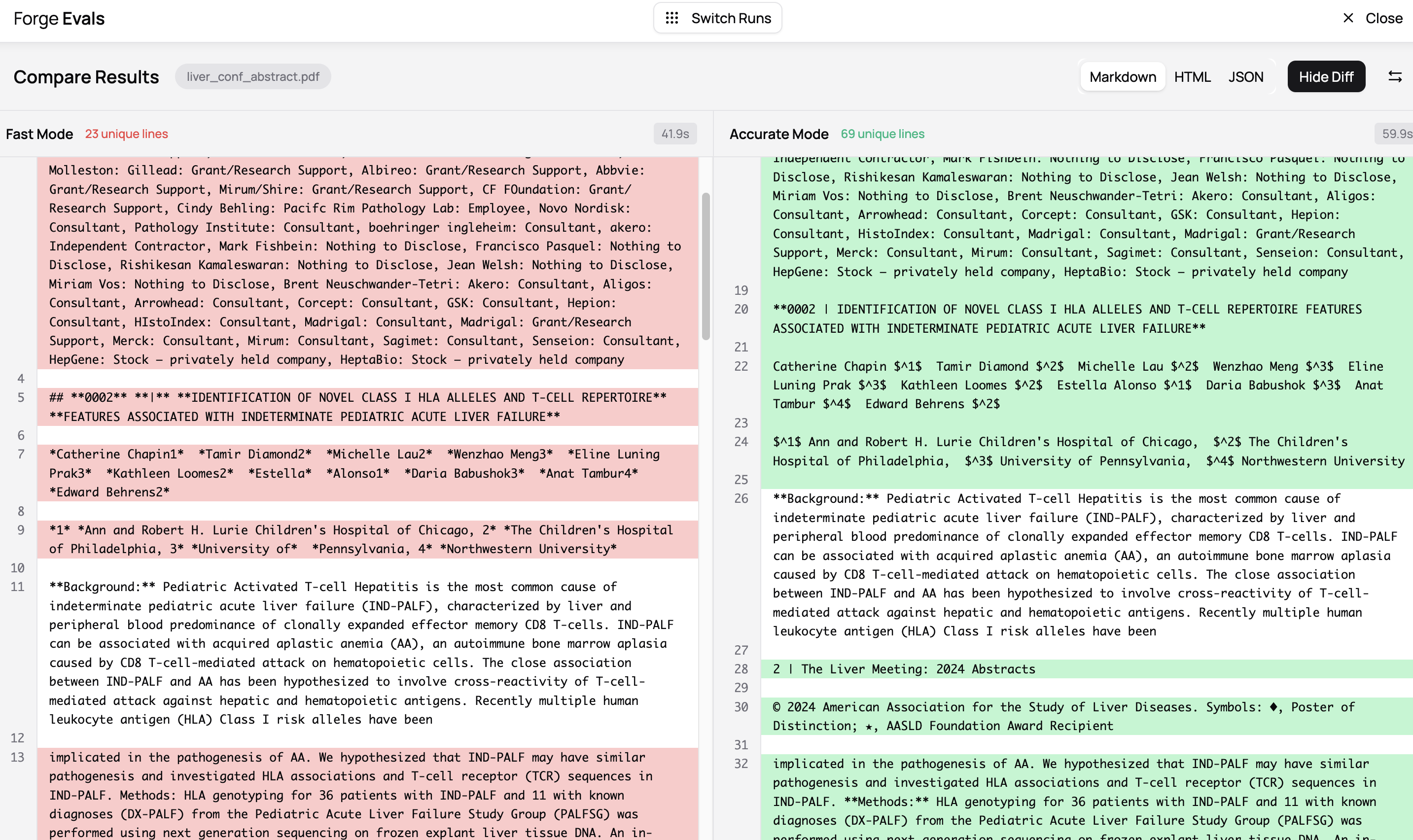
By clicking on “Show Diff”, you can apply a lens on the view to understand what lines are different between the two outputs. In the example above, the **Background:** line is the same between both modes, but the formatting and quality of extraction is slightly different between fast and accurate in other areas.
This is to be expected, since fast mode will run faster (41.9 seconds vs. 59.9 seconds) but at the expense of accuracy. With differences like this, it’s up to you to decide whether those differences between these conversion results affect how they’re used downstream. We just want to make that as transparent as possible.
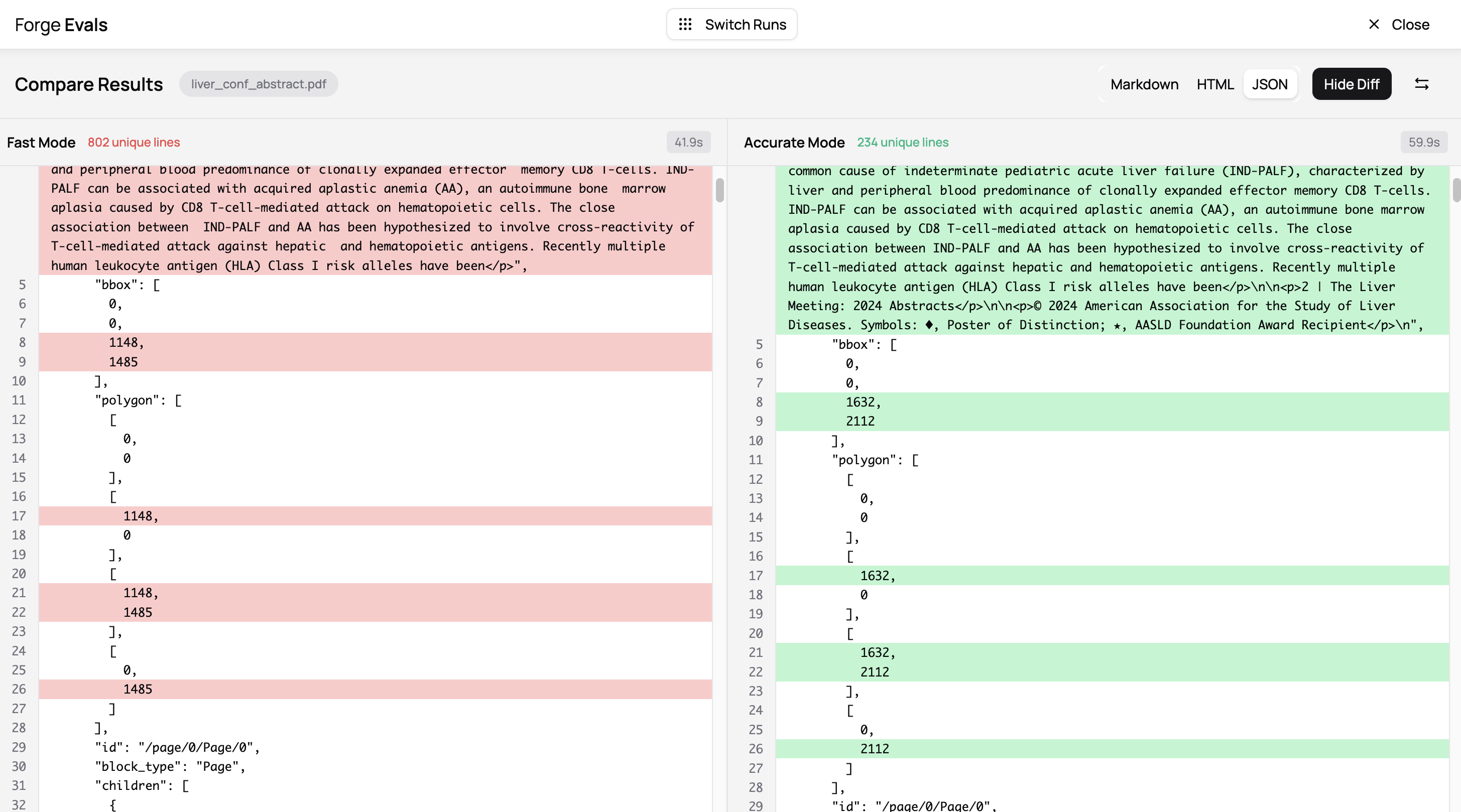
Pro-tip: diffs work on all output formats, so not just Markdown, but also HTML and JSON, in case you want to quickly highlight differences in bounding boxes or other positional info between modes too.
This is especially important if one thing you’re doing is taking PDFs, finding bounding boxes for figures and other blocks, and then extracting them separately at a high resolution to do visual analysis.
You can quickly switch between different runs from the comparison view by clicking “Switch Runs”:
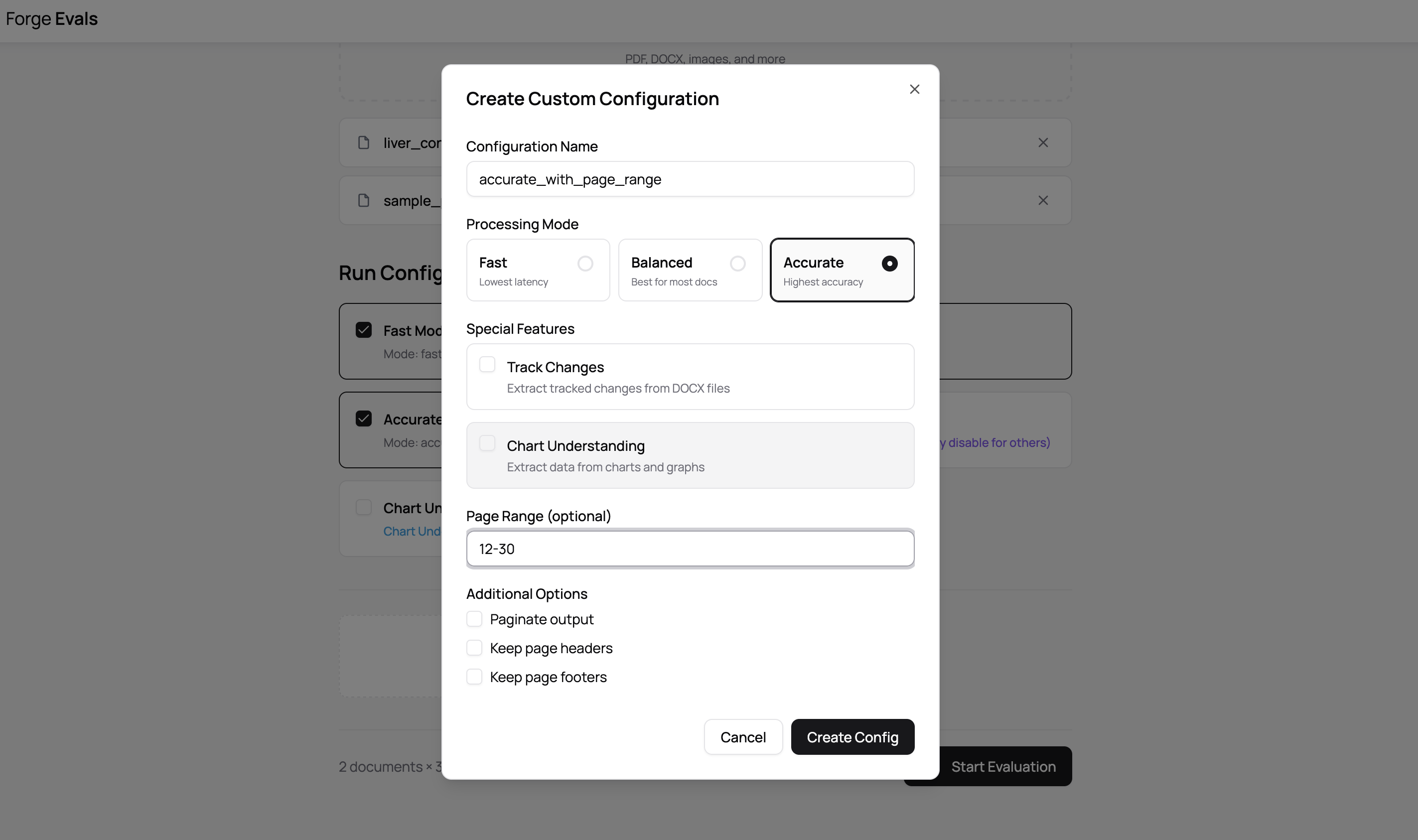
When you set up your run configuration, you’re presented with a few default modes, but you can use the custom configuration below to specify modes with specific page numbers. If you had a large textbook but wanted to compare fast vs. accurate mode on a particular page range, this can come in handy.
Evals also supports spreadsheets (we support CSV, XLS, XLST, XLSM, ODS files). At the moment you can’t mix spreadsheets with other filetypes like PDF / DOCX, and spreadsheets don’t have any configuration. There’s more coming here, so if this is an important use case for you, definitely let us know.
This builds on our recent announcement of public benchmark pages that show how various representative documents perform on our models and others like dotsocr, etc. With evals, you have more control in what is evaluated and how.
And, if anyone’s interested in using Forge Evals to compare Datalab’s models with other providers, wants white glove support on evals with larger document sets / private documents, or has feedback, write to us anytime at [email protected]


Made with love in Manhattan, NY
© Endless Labs, Inc. All rights reserved.
